
Realm简介
Realm是一个跨平台的移动数据库引擎,目前支持iOS、Android平台,同时支持Objective-C、Swift、Java、React Native、Xamarin等多种编程语言。Realm并不是对SQLite或者CoreData的简单封装, 是由核心数据引擎C++打造,是拥有独立的数据库存储引擎,可以方便、高效的完成数据库的各种操作。
官方文档:https://realm.io
GitHub:https://github.com/realm/realm-cocoa
Realm Studio: https://realm.io/cn/products/realm-studio
安装
1 | npm install --save realm |
react-native版本大于等于0.60
1 | cd ios |
react-native版本小于0.60
1 | react-native link realm |
安卓端可能使用 link 无效,这时可以进行以下步骤:
在 android/setting.gradle 内添加:
2
project(':realm').projectDir = new File(rootProject.projectDir, '../node_modules/realm/android')在android/app/build.gradle增加依赖库
2
3
4
5
6
7
8
9
dependencies {
implementation project(':realm')
}
// When using Android Gradle plugin lower than 3.0
dependencies {
compile project(':realm')
}在MainApplication.java中导入并且链接package
2
3
4
5
6
7
8
9
10
11
import public class MainApplication extends Application implements ReactApplication {
protected List<ReactPackage> getPackages() {
return Arrays.<ReactPackage>asList(
new MainReactPackage(),
new RealmReactPackage() // add this line
);
}
}
建立model
通过schema定义的模型会在realm初始化的时候加入realm数据库中,每个schema都有一个name字段定义的名字、primaryKey为主键以及其他属性。
1 | // 定一个car |
支持的类型
Realm支持的基本类型有:bool, int, float, double, string, data, and date
bool对应JavaScript中的booleanint,float,double对应JavaScript中的numberstring对应JavaScript中的stringdata对应JavaScript中的ArrayBufferdate对应JavaScript中的Date
主键
通过设置一个string或者int类型的值作为model的主键
1 | const BookSchema = { |
可选属性
Realm的基本类型是非可选的,并且不可以存储null以及undefined。但是可以在属性定义中添加可选的指示符?来使属性成为可选属性。
1 | const PersonSchema = { |
设置默认值
通过default字段为属性添加一个默认值
1 | const CarSchema = { |
数组
除了存储单个值之外,还可以将属性声明为任何受支持的基本类型的列表。 这是通过在类型名称后附加[]来完成
1 | const PersonSchema = { |
初始化Realm
1 | Realm.open({schema: [Car, Person]}) |
通过realm中的open方法以及定义好的models,即可快速的创建并打开数据库。
当然也可以通过创建realm实例打开
1 | const realm = new Realm({schema: [PersonSchema]}); |
增
对域中对象的更改、创建、更新和删除,必须在write事务块中进行。
需要注意:写入事务具有不可忽略的开销,应该尽量减少代码中写入块的数量。
1 | try { |
删
通过delete方法删除,必须在write事务块中进行。
1 | realm.write(() => { |
改
在创建方法后面添加参数true即可
1 | realm.write(() => { |
查
通过model的名称查找数据
1 | const dogs = realm.objects('Dog'); // retrieves all Dogs from the Realm |
返回Dog中的所有数据,或者通过filtered查找指定数据
1 | const tanDogs = dogs.filtered('color = "tan" AND name BEGINSWITH "B"'); |
Realm Studio
Realm Studio是Realm数据库的可视化工具,通过Realm Studio下载,支持Windows、Linux、Mac OS系统,下载打开之后
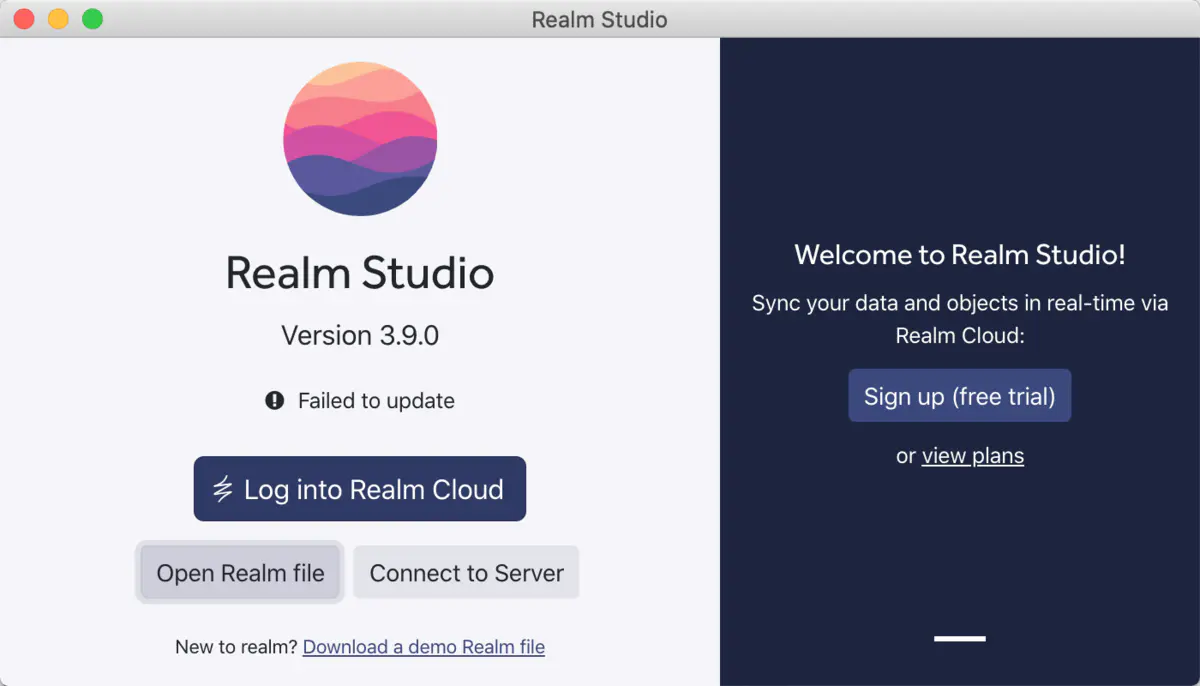
点击Open Realm file 选中需要打开的数据库即可,是以realm为后缀的文件
找到realm文件
如果是在iOS模拟器上,那么可以到以下路径查找
1 | /Users/你的名字/Library/Developer/CoreSimulator/Devices/2AAE2917-8519-4024-BAE7-3A59F124691E/data/Containers/Data/Application/0EE00136-357D-46F8-B709-2BAA1DDF8909/Documents |
如果是在iOS真机上,可以在Xcode中的Devices and Simulator查找
常见问题
- Realm安装不上
1 | React Native 0.31.0 and later is supported. |
- realm-sync-cocoa下载失败
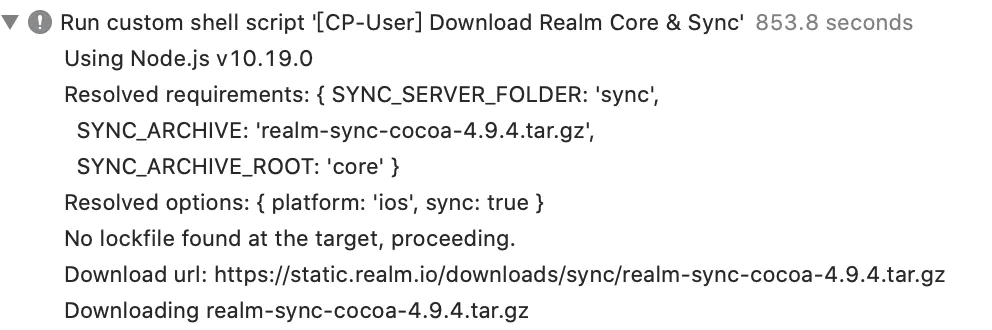
首次运行时,如果出现长时间卡在编辑阶段,打开Xcode发现一直在下载realm-sync-cocoa-4.9.2.tar.gz
该文件大概有100M以上,翻墙效果依旧不明显
- 手动下载realm-sync-cocoa-4.9.2.tar.gz
- 打开/node_modules/realm/scripts/download-realm.js文件,并找到以下代码
1 | function generateRandomString() { |
修改之后重新编译一下,就会生成一个realm文件夹
- 在命令行输入
getconf DARWIN_USER_TEMP_DIR获取下载缓存路径,并把手动下载好的文件,放入realm中 - 清空项目并且编译即可成功